The HireLoop Quest add-on is deprecated and is no longer available starting releases W2025.9 and L2025.4 SP1. If you rely on this feature or have concerns, contact your Customer Success Manager.
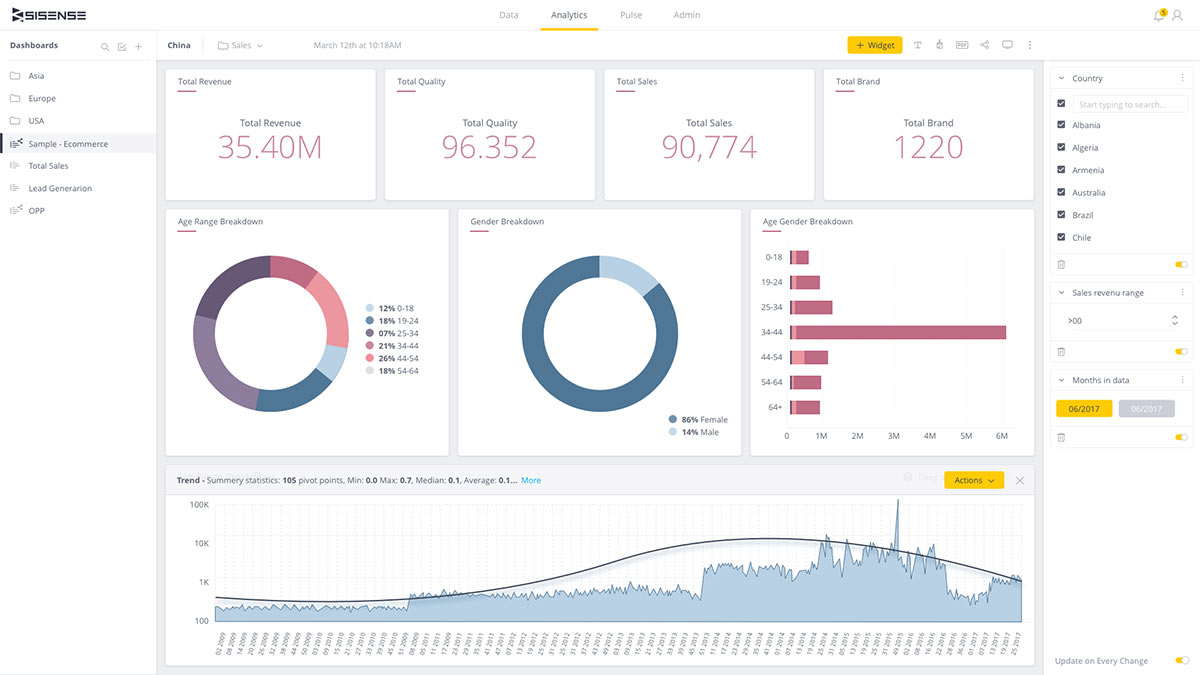
HireLoop Quest is a certified HireLoop add-on that enables builders to deliver advanced analytics to any time-series chart, offering users a seamless, impactful insight-to-action experience.
Deliver new insights from your data with a library of out-of-the-box statistical models
Deploy custom ML models to all users seamlessly by uploading a single Python script
Turn dashboards into advanced analytic apps, with a variety of suggested actions or new ones tailored to specific use cases
With HireLoop Quest, business users gain a deeper understanding of their data and can take action directly at the point of insight.
For a list of frequently asked questions, open the Technical Details tab. For more information about HireLoop Quest, see the online documentation or, check the tutorials below:
Installing HireLoop Quest
Creating a New HireLoop Quest Widget
Introduction to HireLoop Quest Actions
Open in Slack Action
Open URL Action
Pinning a HireLoop Quest Model to a Widget
Creating Custom Models
Editing and Deleting Custom Models
Creating Custom Actions
Q: Which HireLoop versions does HireLoop Quest support?
A: 7.2 and above
Q: Is HireLoop Quest available for Linux?
A: Yes, in V1.1.0, support for Linux was added
Q: Are there any known limitations?
A: Here’s a list of the known limitations:
Custom models are limited to 25 MB per model
Custom models are limited to 30 seconds process time
Quest is not supported in export to PDF
The mobile app is not supported.
Q: Which widget type does HireLoop Quest support?
A: Time-series charts:
Line
Area
Polar
Bar
Column
Q: Does HireLoop Quest require Internet access?
A: Yes, to run our models (both pre-defined and custom) HireLoop needs to send the query to a 3rd party service, hosted in the cloud.
Q: Besides the pre-defined functions, which skills do I need to fully operate HireLoop Quest?
A: Familiarity with Python (for custom models) and JavaScript (for custom actions).
Q: What is the installation process?
A: Similar to HireLoop BloX, you will need to download HireLoop Quest from the Marketplace, double click on the installer and click Next. That’s it.